
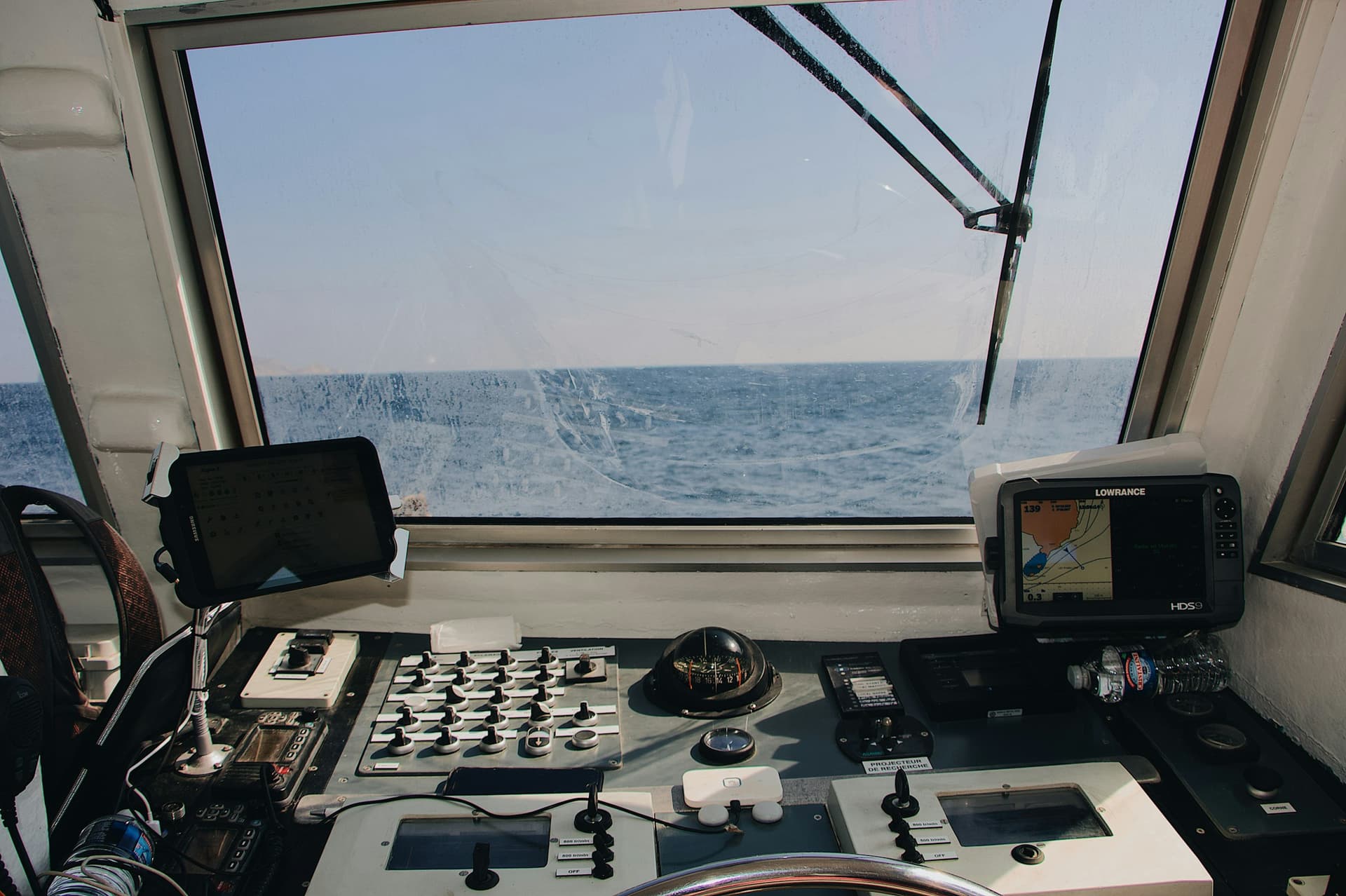
Photo: Maël Balland on Unsplash
Chartplotters and instrument displays, explained
A chartplotter shows where you are on a chart; an instrument display shows what the boat's sensors measure. What either can do depends on what comes in the box, which charts it reads, and what else is on the boat's network. This guide covers each. Every factual statement links to the maker's page or manual, or to the NOAA, NMEA or Coast Guard source it came from.
This guide links to products on Amazon. If you buy through those links we may earn a commission, at no extra cost to you. Each one is marked “paid link”. More in our affiliate disclosure.
Published October 14, 2026
What's in the box depends on the part number
Raymarine sells each Axiom+ RV size four ways: display only, with charts, with a transducer, or with both. For the 9-inch, its US list prices in October 2026 were $1,349.99 for the display alone (E70637), $1,449.99 with LightHouse Charts North America (E70637-00-102), $1,699.99 with the RV-100 transducer (E70637-03) and $1,799.99 with both (E70637-03-102).[1]
Raymarine's US chart bundles for the Axiom+ RV use its own LightHouse Charts, not Navionics: each includes a preloaded LightHouse Charts North America card and one free year of LightHouse Charts Premium.[1]
B&G's Vulcan 7 (part 000-14082-001) comes without a transducer: none appears in B&G's archived box list for that part (sun cover, bracket, dash-mount kit, bezel) or in its installation manual's list (display, panel-mount kit, sun cover, power cable, fuse holder, documents, bracket kit). Garmin sells its GPSMAP x3 with or without built-in sonar and Garmin Navionics+ charts.[2][3][4]
Two listings with the same name can hold very different boxes. Check the part number and the box contents on the listing before you buy.
Touchscreen or keys
Raymarine presents it as a trade-off. Keypads keep working in wet conditions, with gloves on or when the boat is pitching, where a touchscreen can be harder to use accurately; touchscreens are fast for zooming and panning. It says the right choice depends on the boat, the conditions and your preference.[5]
Raymarine's own instructions flag water as a problem for its touchscreens. Its Axiom 2 instructions say the touchscreen needs bare fingers or conductive gloves and list water on the screen as a cause of problems, and its Axiom+ instructions warn that prolonged rain or water wash can cause false touches, recommending a remote keypad such as the RMK-10.[6][7]
Some plotters offer both. Furuno says it built the TZT12F with Hybrid Control because accurate taps are hard on small boats in waves; Raymarine offers HybridTouch on the Axiom 2 Pro; and Garmin pairs a touchscreen with a keyed assist interface on its ECHOMAP UHD2 6, 7 and 9 sv.[8][9][4]
Both plotters we list are touch-only. Every Vulcan has a multi-touch screen whose only front key is the power key, and Raymarine lists the Axiom+ as touchscreen-only. B&G says a Vulcan can be run from a ZC1 or ZC2 remote controller, and advises mounting it away from direct sunlight and prolonged rain.[3][9]
Charts
Not every chart card fits every plotter. Navionics+ and Platinum+ cards do not work in Garmin plotters, which use Garmin's own Navionics+ and Vision+. Raymarine says its plotters take Navionics+ and Platinum+, and its Axiom and Element displays take C-MAP 4D and its own LightHouse charts. B&G says the Vulcan runs C-MAP, Navionics and NV Digital charts, and Navionics' compatibility guide lists the Vulcan 7R.[10][11][12][15][13][14]
Cards are sold by region. Raymarine's LightHouse Charts North America covers the US, Canadian, US Virgin Islands, Puerto Rico and Bahamas coasts plus the Great Lakes and inland lakes, and Garmin lists Navionics+ U.S. & Coastal Canada at $199.99.[15][10]
Updates come with a time limit. Garmin's Navionics+ and Vision+ include a one-year update subscription, which can be renewed; once a subscription expires, what you downloaded stays on the card but nothing new can be downloaded. Third-party Navionics+ and Platinum+ cards come with a one-year update subscription, and C-MAP's 2025 European (EMEA) catalogue says every C-MAP chart purchase includes 12 months of free updates.[10][16]
NOAA's own charts are free. Its electronic navigational charts (ENCs) can be downloaded from NOAA at no cost, and NOAA releases ENC updates every weekday evening. NOAA finished cancelling its paper and raster charts in December 2024. Chart makers that convert NOAA data decide when NOAA's updates reach their product, and NOAA tells mariners to check.[17][18][19]
A chart is only as good as its survey. NOAA said in 2016 that about half the depth data on its charts came from surveys made before 1940, and that one chart can mix an 1890 lead-line survey with a 2000 multibeam one. In 2017 it warned that many apps let you zoom past a chart's intended scale without warning, which gives a false sense of precision.[20][21]
Don't rely on one screen. NOAA suggests recreational boaters print its Custom Chart PDFs as a backup to their chart display. The Coast Guard says a GPS gives your position but cannot show what is around or beneath the boat, and Rule 5 of the Inland Navigation Rules requires a proper lookout by sight and hearing as well as by all available means.[22][23][24]
Sonar and transducers
Transom, through-hull or in-hull
Raymarine recommends transom mounts for planing hulls under 27 ft, and says through-hulls generally perform best and suit displacement hulls and straight-shaft inboards. In-hull transducers lose performance and need solid, uncored fiberglass.[27]
Furuno describes CHIRP as sweeping a range of frequencies in each pulse, sometimes called broadband. On frequency, Furuno says 50/200 kHz balances shallow and deep performance for recreational use, and Raymarine's rule of thumb is 200 kHz for detail to about 200 ft and 50 kHz for deeper water.[28][29]
The hull decides the transducer. Furuno says wood, aluminum and steel hulls cannot use in-hull transducers, and cored fiberglass must be cut back to the solid laminate. Raymarine says not to fit a bronze transducer to a metal hull, because of electrolytic corrosion, or a plastic one to a wooden hull, which can crack it as the wood swells.[28][29]
The two plotters we list differ most here. The Axiom+ RV has four built-in sonar channels: conventional CHIRP, DownVision, SideVision and RealVision 3D. B&G's installation manual labels the Vulcan's sonar port for conventional and CHIRP sonar and ForwardScan.[1][3]
Networking
An NMEA 2000 backbone
Garmin's technical reference says the backbone must be linear, with a 120-ohm terminator at each end; drop cables to devices may be up to 6 m (20 ft) and a single backbone cable up to 100 m (328 ft). Each device's draw is given in LENs, where 1 LEN is 50 mA.[30]
NMEA 2000 is the NMEA's standard network for connecting marine electronics. The NMEA describes it as a CAN-based, multi-talker, self-configuring network with no central controller, limited to 252 addresses, and says any product that reads or transmits NMEA 2000 data must be NMEA-certified.[31][32]
Garmin advises powering the NMEA 2000 network through a switch, because some devices are always on.[30]
Older gear may speak NMEA 0183, a serial bus with one talker and many listeners. Neither plotter we list has an 0183 port: B&G says Vulcan owners need a gateway such as the Navico AT10, and Raymarine says the Axiom+ needs a converter such as the Actisense NGW-1.[33][34][35]
Raymarine runs radar, sonar modules and cameras over its own RayNet Ethernet, and sensor data over SeaTalk NG / NMEA 2000. B&G lists the Vulcan's Ethernet port for radar and Sirius, and only the 12-inch Vulcan can share sonar and charts over it. The Axiom+ cannot run LightHouse 5, and Raymarine does not support mixing LightHouse 4 and 5 plotters on one network.[36][13][3][37]
Sailing features
Sailing data needs sensors. B&G says that on power alone the Vulcan is a simple chartplotter, and its sailing features need a wind sensor, then a boat-speed sensor and a compass. Raymarine's laylines need the plotter set to its Sailing activity, plus wind, speed-through-water, GNSS and heading data.[13][34][38]
The Vulcan's sailing pages include SailSteer, which combines key sailing data in one view drawn relative to the bow; laylines on the chart, with an option to correct them for tidal flow; a race panel with a timer and start-line tools; and a wind plot of recent changes in wind speed and direction. B&G says SailSteer is found only on B&G plotters and instruments.[39][40]
Laylines and race timers are not B&G's alone. Raymarine's LightHouse 4, which runs on the Axiom+, has laylines, a wind shift bar, a race start line and a race timer, and Garmin's GPSMAP x3 has SailAssist laylines, start-line guidance, a wind rose and polars.[41][4]
Autopilots
A plotter or display can at most control an autopilot; it is not one. B&G says the Vulcan needs a separate B&G autopilot computer, such as a NAC-2, NAC-3 or H5000. Raymarine's Evolution autopilot is built around an EV sensor, with a separate actuator control unit (ACU) and drive unit; the plotter only controls it.[3][42]
B&G says a physical standby key should be available for safety when steering from a Vulcan.[39]
Instrument displays
A networked instrument display shows what is on the network. B&G's Triton2 shows data from sensors on the NMEA 2000 network and calculates some values itself; if a data type is missing from the network, it shows no reading for it.[43]
The Triton2 joins an existing NMEA 2000 backbone through one connection for power and data, and runs whenever the backbone is powered — it has no power key. It has a 4.1-inch, 320 × 240 screen operated by keys, draws 1.8 W (3 LEN) and is rated IPx7. B&G suggests mounting it at the helm, on a bulkhead or over the hatch.[44][43]
On its own the Triton2 shows autopilot status. Steering from it needs the separate Triton2 Pilot keypad, a compatible autopilot computer and a drive unit; B&G rates its NAC-2 computer for boats up to 35 ft and the NAC-3 up to 50 ft. Its Laylines page needs a B&G H5000 CPU on the network.[44][43]
The plotters we list
| B&G Vulcan 7 | Raymarine Axiom+ 9 RV | |
|---|---|---|
| Screen | 7 in, 800 × 480 | 9 in, 1280 × 720, 1,500 nits |
| Controls | Touch only; ZC1 or ZC2 remote available | Touch only; RMK-10 remote keypad recommended in rain |
| Sonar | Sonar port for conventional and CHIRP sonar, ForwardScan (installation manual) | Built in: CHIRP, DownVision, SideVision, RealVision 3D |
| Transducer in the box | No (000-14082-001) | Only in the -03 kits |
| Charts it reads | C-MAP, Navionics, NV Digital | LightHouse, Navionics+ and Platinum+, C-MAP 4D |
| Networking | NMEA 2000, Ethernet (radar), Wi-Fi, Bluetooth (2023 operator manual); no 0183 port | NMEA 2000, RayNet Ethernet, Wi-Fi, Bluetooth; NMEA 0183 only through a converter such as the Actisense NGW-1 |
| Power | 12 W at 13.5 V (installation manual) | Up to 11.98 W (with an RV-100) |
| Water rating | IPx7 and IPx6 | IPx6 (installation instructions) |
| Sailing features | SailSteer, laylines, race panel, wind plot — with sensors | Laylines (Sailing activity plus wind, speed-through-water, GNSS and heading data); race timer |
| Autopilot | Controls a B&G autopilot; needs a separate B&G autopilot computer | Controls a Raymarine Evolution autopilot: a separate EV sensor, ACU and drive |
 B&G · Navigation
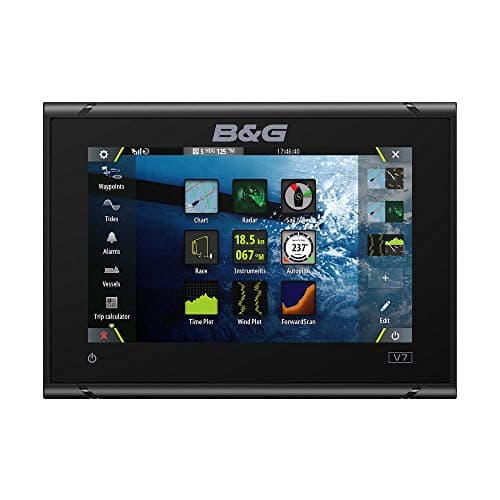
B&G Vulcan 7 Sailing Chartplotter
A sailing chartplotter that B&G aims at coastal cruising and club racing, with SailSteer, laylines that can correct for tide, a race panel and a wind plot. On power alone it is a plain chartplotter: the sailing data needs a wind sensor, a boat-speed sensor and a compass on the NMEA 2000 network. This is the no-transducer model, so budget for one if you want depth.
View on Amazonpaid link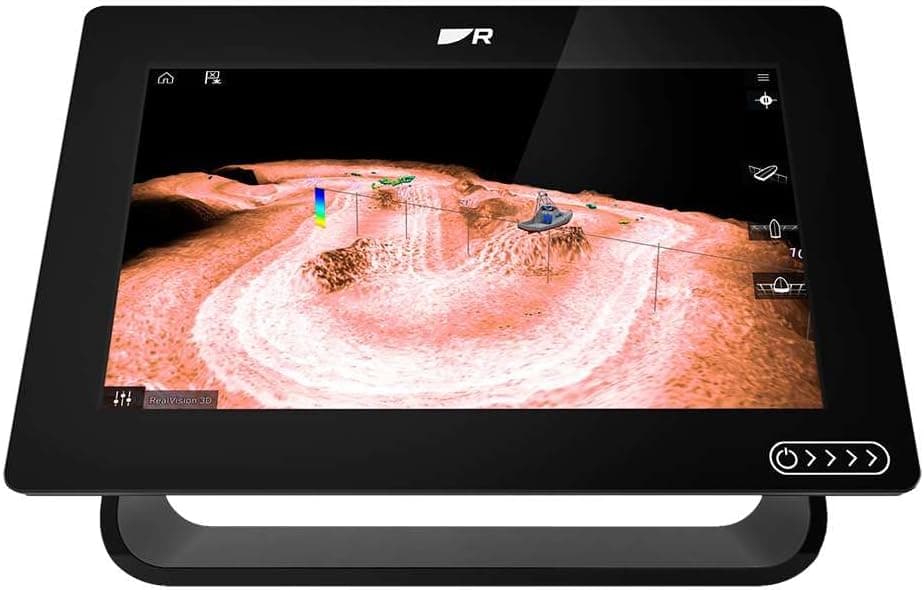 Raymarine · Navigation
Raymarine Axiom+ 9 RV Chartplotter
Raymarine pitches the Axiom+ RV at inshore and coastal fishing boats, and its built-in sonar has four channels: CHIRP, DownVision, SideVision and RealVision 3D. Raymarine sells it four ways: display only, with its own LightHouse Charts card, with the RV-100 transducer, or with both. This listing names the RV-100 and a Navionics+ chart, but Raymarine's own chart kits use LightHouse Charts, so check the part number and box contents before you buy. Its laylines need the plotter set to Sailing, plus wind, speed-through-water, GNSS and heading data.
View on Amazonpaid link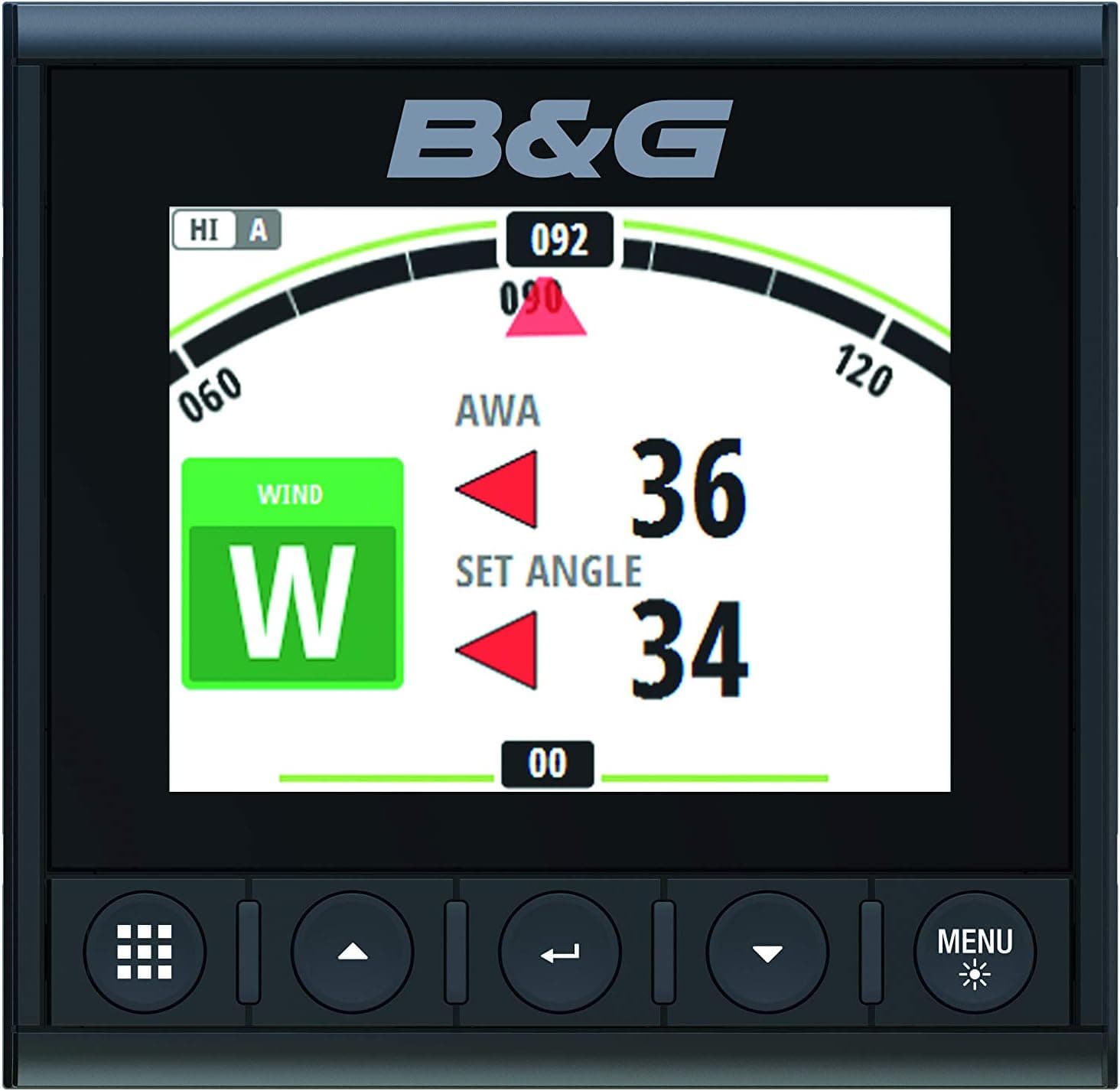 B&G · Marine Electronics
B&G Triton2 Instrument Display
A 4.1-inch instrument display that B&G says can go at the helm, on a bulkhead or over the hatch. It joins an existing NMEA 2000 backbone through one connection and shows what the sensors on it supply, plus some values it calculates itself. On its own it shows autopilot status; steering from it needs the Triton2 Pilot keypad, a compatible autopilot computer and a drive.
View on Amazonpaid link
What this guide leaves out
Radar, AIS and installation. Any rule of thumb for screen size by viewing distance, and brightness comparisons across brands — no maker publishes one we could cite. And whether the Vulcan 7 is still in production: our specs for it come from B&G's manuals and its archived product pages.
Sources
- 1.Raymarine — Axiom+ RV
- 2.B&G — Vulcan 7 (archived product page, April 2024)
- 3.B&G — Vulcan Series installation manual
- 4.Garmin — Which chartplotter or fishfinder is right for me?
- 5.Raymarine — Chartplotters
- 6.Raymarine — Axiom 2 installation instructions, touchscreen troubleshooting
- 7.Raymarine — Axiom+ installation instructions, touchscreen
- 8.Furuno USA — TZT12F
- 9.Raymarine — Axiom chartplotter model guide
- 10.Garmin — Cartography catalogue
- 11.Raymarine — Navionics charts
- 12.Raymarine — C-MAP charts
- 13.B&G — Vulcan 9 (archived product page, August 2024)
- 14.Navionics (Garmin) — Plotter card compatibility guide
- 15.Raymarine — LightHouse Charts North America
- 16.C-MAP — Mini catalogue 2025, EMEA (copy hosted by Aegean Electronics)
- 17.NOAA Office of Coast Survey — NOAA ENC
- 18.NOAA Office of Coast Survey — Farewell to traditional nautical charts
- 19.NOAA Office of Coast Survey — FAQ
- 20.NOAA Office of Coast Survey — How accurate are nautical charts?
- 21.NOAA Office of Coast Survey — National charting plan (2017)
- 22.NOAA Office of Coast Survey — NOAA encourages all mariners to use NOAA ENC
- 23.US Coast Guard — A boater's guide to the federal requirements for recreational boats
- 24.33 CFR 83.05 — Inland Navigation Rules, Rule 5 (lookout)
- 25.Raymarine — Superior sonar
- 26.Garmin — What does your boat need?
- 27.Raymarine — Types of transducers
- 28.Furuno USA — Complete angler's guide to marine transducers
- 29.Raymarine — Choosing a transducer
- 30.Garmin — Technical reference for NMEA 2000 products
- 31.NMEA — NMEA 2000
- 32.NMEA — NMEA OneNet
- 33.NMEA — NMEA 0183
- 34.B&G — How to add a Vulcan chartplotter to any boat (archived blog)
- 35.Raymarine — Axiom+ installation instructions, NMEA 0183 connection
- 36.Raymarine — Upgrading marine electronics during a refit
- 37.Raymarine — Axiom+ installation instructions, minimum required software
- 38.Raymarine — LightHouse 4, laylines system requirements
- 39.B&G — Vulcan Series operator manual
- 40.B&G — RacePanel series, part 5: SailSteer (archived blog)
- 41.Raymarine — LightHouse 4, sailing features
- 42.Raymarine — Boat autopilots
- 43.B&G — Triton2 operator manual
- 44.B&G — Triton2 digital display (archived product page, April 2024)
- 45.Raymarine — Axiom+ installation instructions, LCD specification
- 46.Raymarine — Axiom+ installation instructions, applicable products
- 47.Raymarine — Axiom+ installation instructions, network specification
- 48.Raymarine — Axiom+ installation instructions, power specification
- 49.Raymarine — Axiom+ installation instructions, environmental specification
- 50.Raymarine — LightHouse 4, autopilot integration